 Simplygon 10.4.132.0
LOD Recipe: Morph targets
Keep morph targets in your LODs using the Allow Morph Targets window in LOD Recipes.
Prerequisites:
- A LOD Recipe containing at least one Skeletal Mesh that have morph targets.
1. Open the Allow Morph Targets window
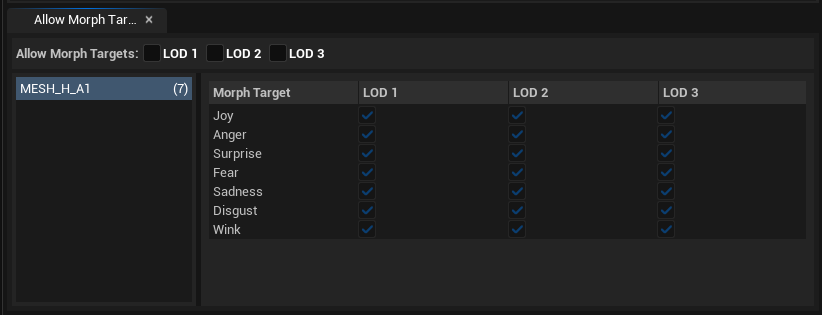
The Allow Morph Targets window is visible by default at the bottom of the LOD Recipe editor. If it's not, you can open it from Window → Allow Morph Targets.
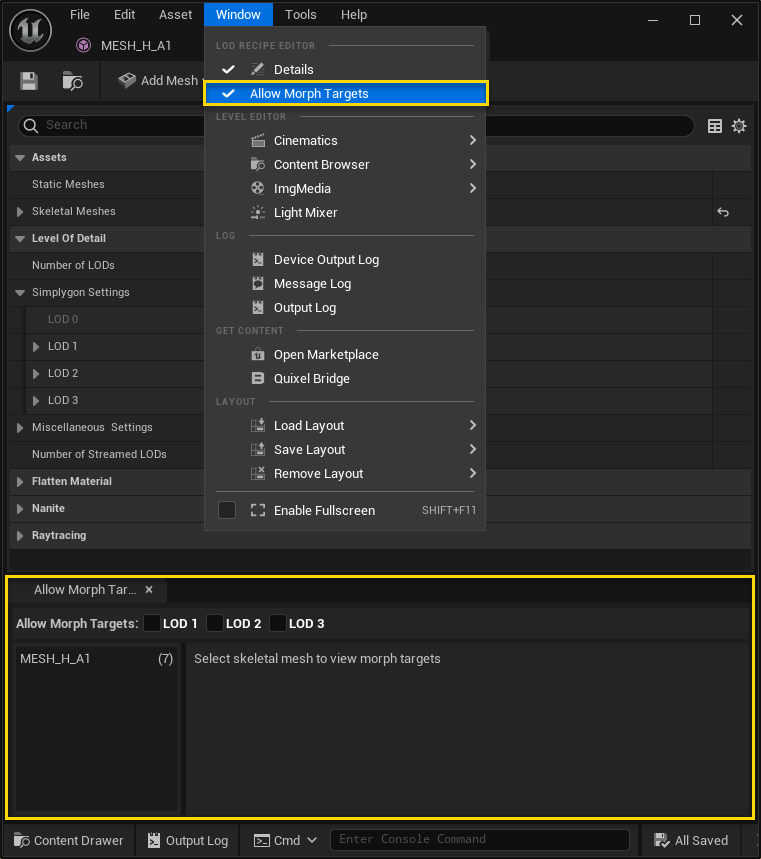
Click on the name of a Skeletal Mesh to view a table view of what morph targets it has available.
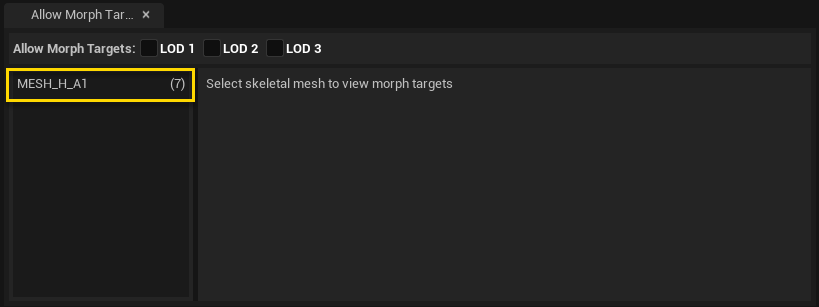
2. Check the desired Morph Targets to keep
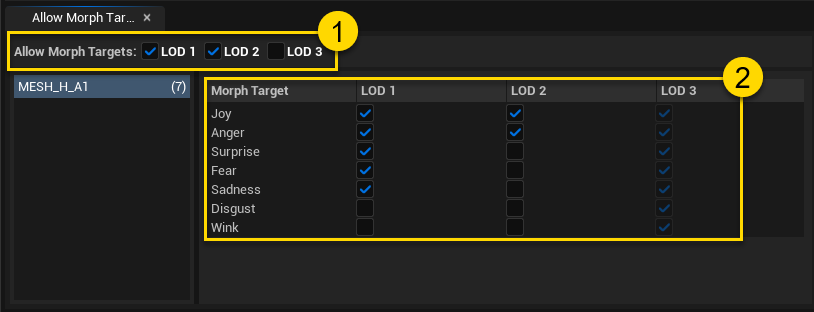
First you need to check Allow Morph Targets for each LOD you wish to keep morph targets for. This will make the checkboxes in the table view editable. Then, check/uncheck what morph targets you want to keep for each LOD in the table view.
3. Build
When you're happy with what morph targets to keep (and the rest of the LOD Recipe settings), press Build and wait for it to finish.
4. Result
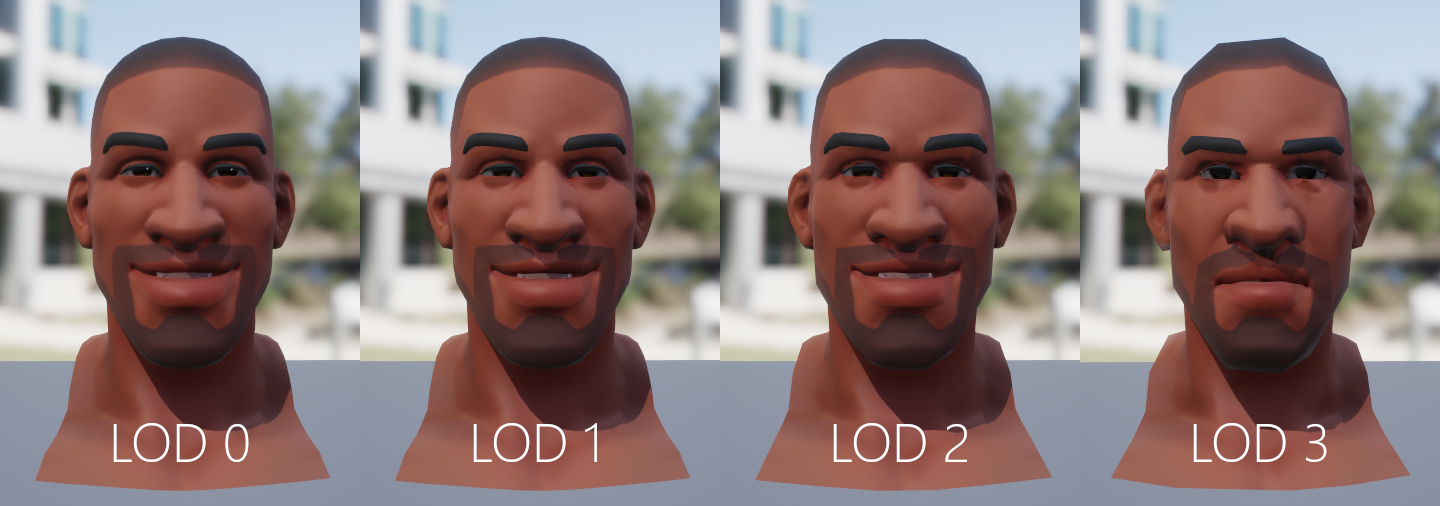
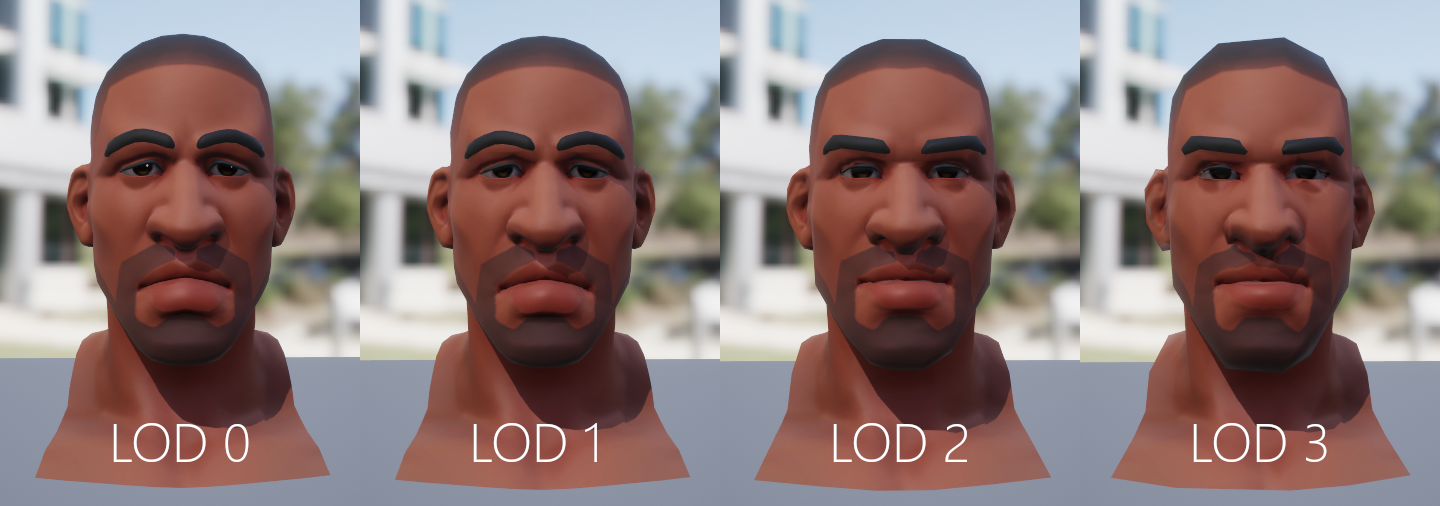
Figure 5 and 6 shows the resulting mesh and the morph targets "Joy" and "Sadness" for LOD 0 - 3. The result is created using the morph target settings seen in Figure 4.