
Hierarchical Level-Of-Detail
The Hierarchical Level-Of-Detail (HLOD) system's purpose in Unreal Engine is to improve performance in terms of draw calls, memory usage, reduced geometric- and material complexity on faraway Actors. These generated Hierarchical LODs will switch in / out based on a metric (such as loading range and OnScreenSize) to replace one or more source Actors residing in that specific cluster / part of the world. For more details, see Unreal Engine's documentation on World Partition.
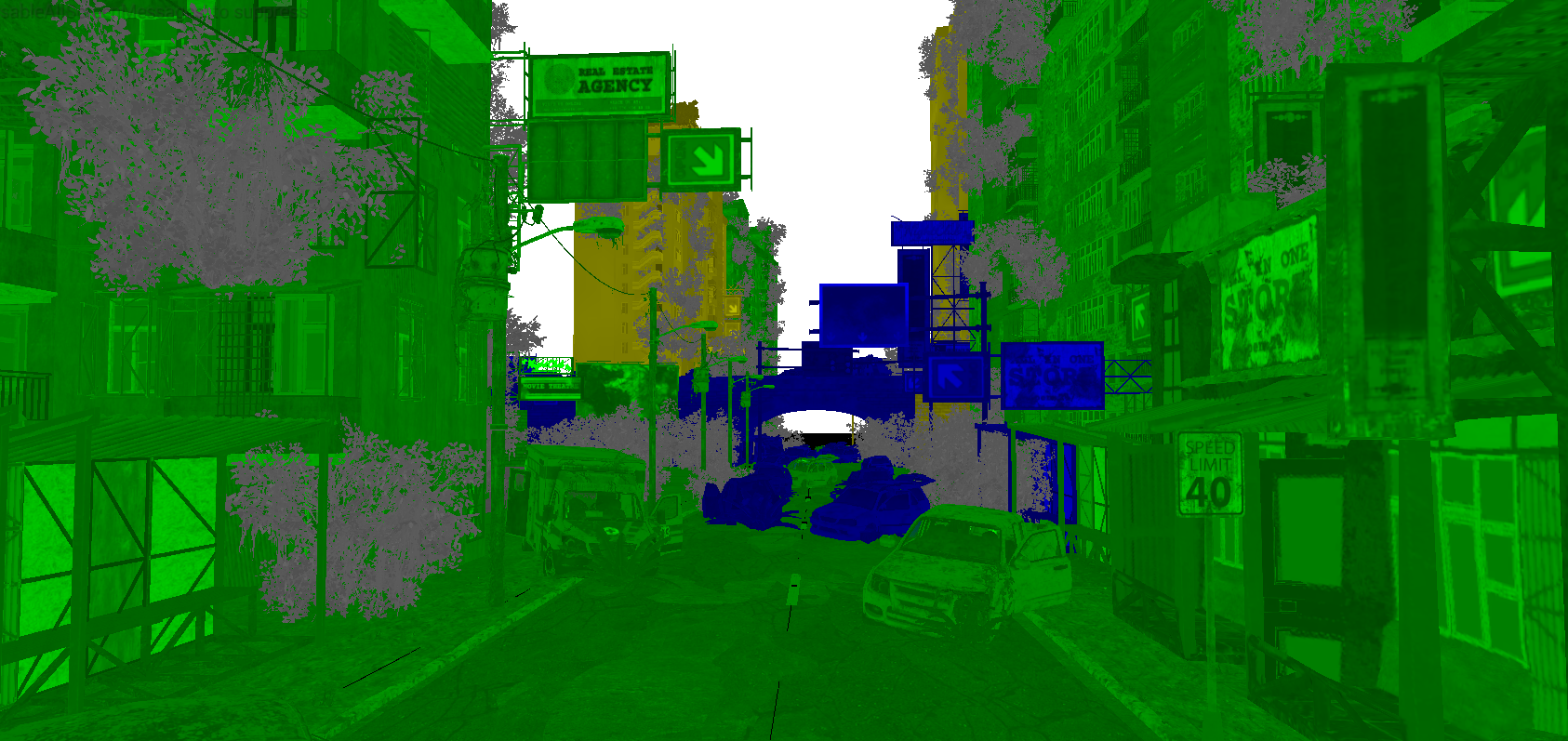
Below is a list of the most common built-in HLOD types that implement Unreal Engine's standard reduction interfaces. These HLOD types are selectable in an HLOD Layer.
- Instancing
- Mesh merging
- Simplification
- Approximation
The Simplygon plugin provides a proprietary HLOD builder that is based on Simplygon's Remeshing pipeline. It can be selected and configured through an HLOD Layer. This builder can be used as a replacement or in combination with the built-in builders; for example Instancing- and Simplygon Remeshing builder. HLOD generation can also be distributed, see Work distribution for HLOD for more details.
Important
As Unreal Engine 5 is heading towards World Partition we've decided to follow in the same direction. The new HLOD builder exposes more functionality than the previous standard interface implementation and will offer users much more flexibility when generating HLODs. A limitation of this action is that non-World Partition world types are no longer supported. Moving away from the standard interface also means that generation of HLODs through the HLOD Outliner and the built-in "Simplify Mesh" builder will no longer use Simplygon.
Supported HLOD builders
The table and illustrated settings below describe the legacy remeshing workflow. The experimental scene-capture remeshing builder uses a different material-baking workflow.
| HLOD Builder Name | Type | Based On | Material Baking | Landscape Culling | Distribution |
|---|---|---|---|---|---|
| Simplygon HLOD Remeshing Builder | Custom | Remeshing Pipeline* | Yes | Yes** | Yes** |
| Asterisk | Description |
|---|---|
| * | Remeshing generates an approximation (single mesh, single UV and single material) out of all input source Actors. |
| ** | Using WorldPartitionHLODsCommandlet and SimplygonWorldPartitionBuilder (commandlet only) |
HLOD Layer sections
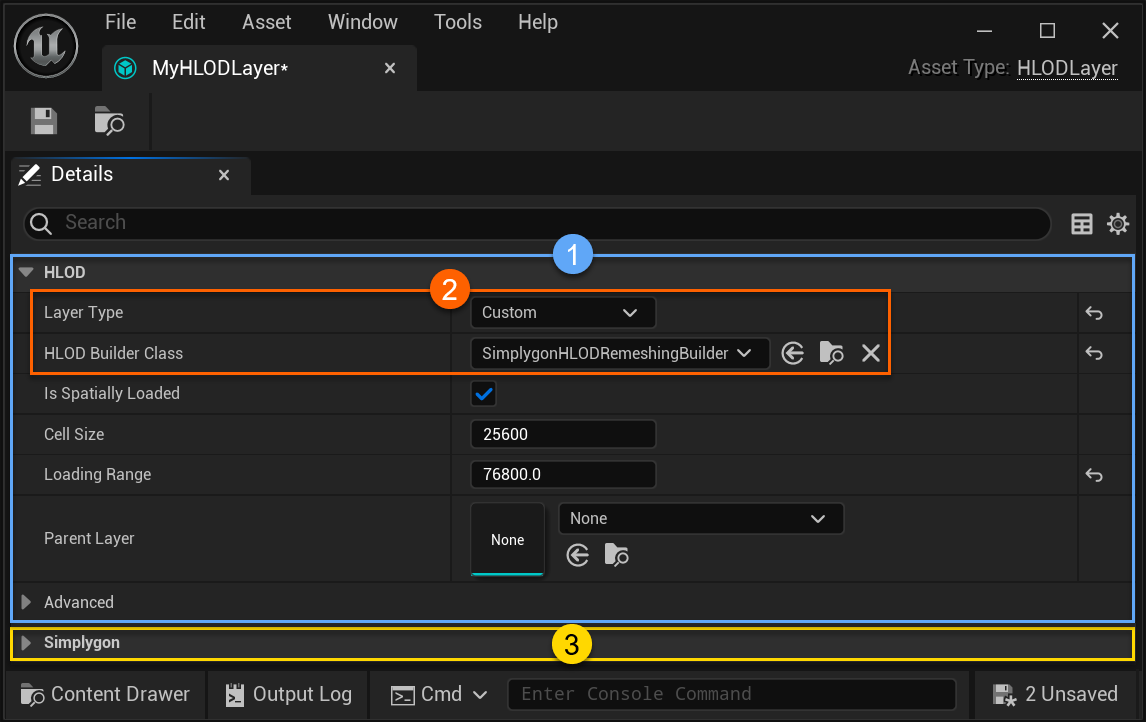
An HLOD Layer has static sections which are inherited (1), as well as dynamic sections (3) that depends on which builder that is selected in the HLOD section of the layer (2). Simplygon's settings are collected under the Simplygon section. The settings may vary depending on which builder it is and what Simplygon Pipeline the builder is based on.
Simplygon HLOD Remeshing Builder
The purpose of the Remeshing builder is to generate a much cheaper approximation (single mesh, single UV and single material) out of all static meshes that reside in a World Partition cell. The builder can be used in combination with Unreal Engine's built-in builders (parented HLOD Layers), for example instancing and then remeshing.
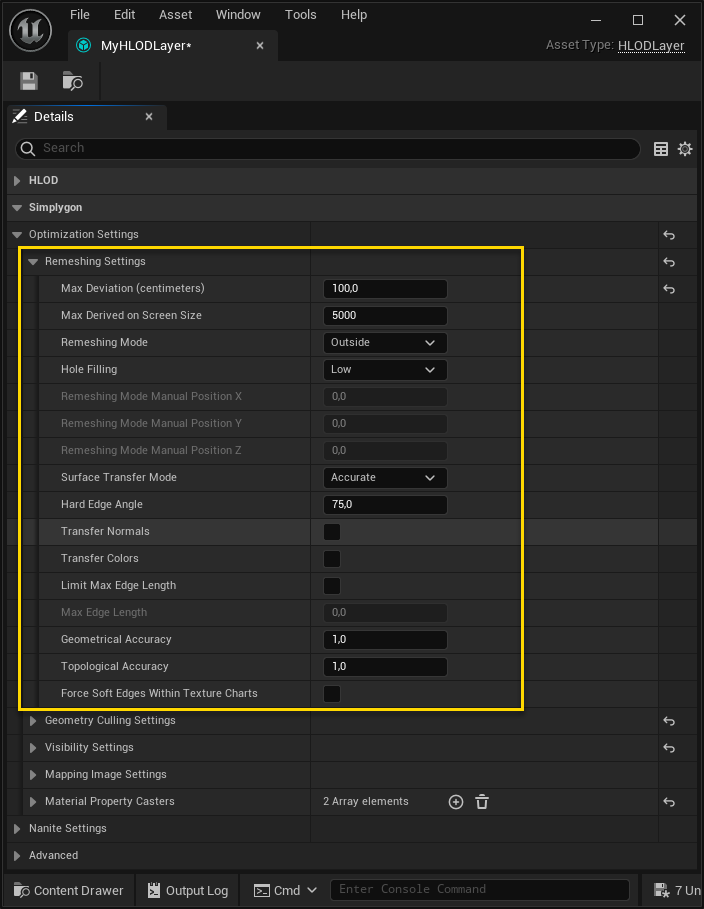
Remeshing settings
Max Deviation is the reduction target; a lower deviation may result in a more detailed mesh with the cost of increased number of triangles, while a higher deviation may result in a less detailed mesh with less triangles.
Material baking
Material baking is always active for Remeshing, there are two material property casters added by default, BaseColor and Normal. Add more casters for a better representation of the material, at the cost of texture memory and shader computation. 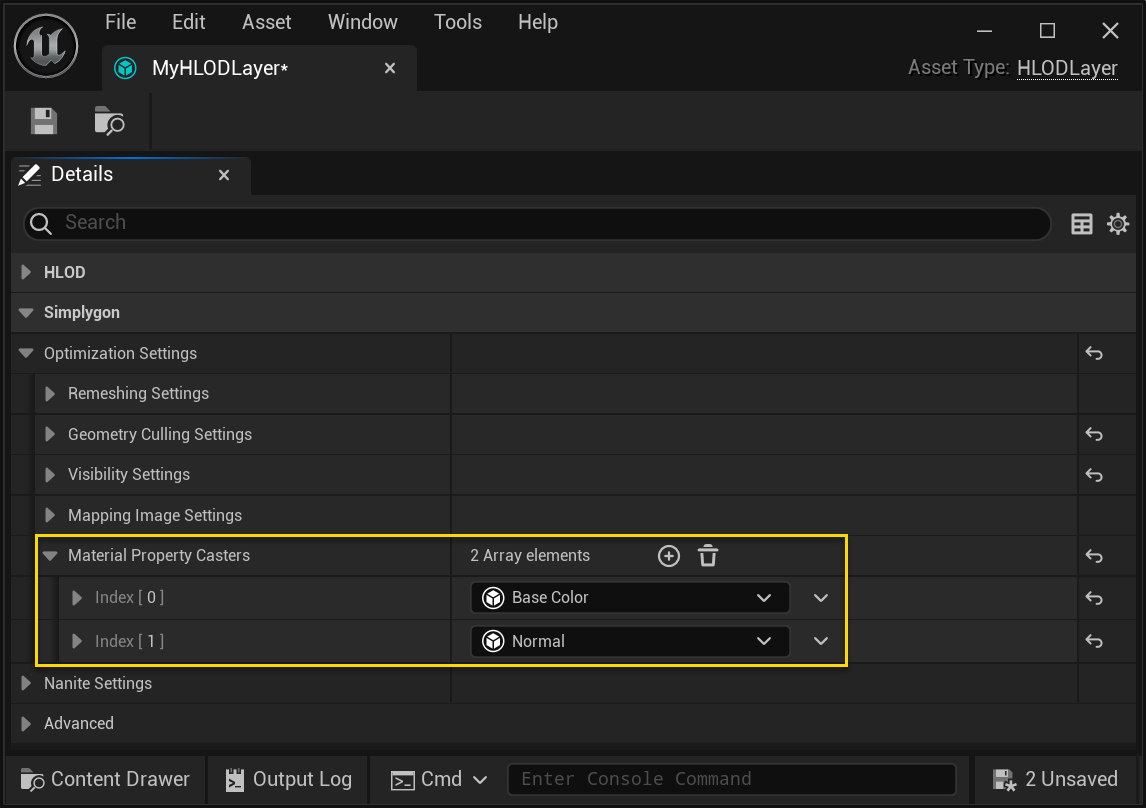
Nanite settings
This builder contains Nanite settings; these settings will get applied to the generated HLOD as a post step after optimization. Keep in mind that Error Trim and Triangle Percent both can affect the perceived result. 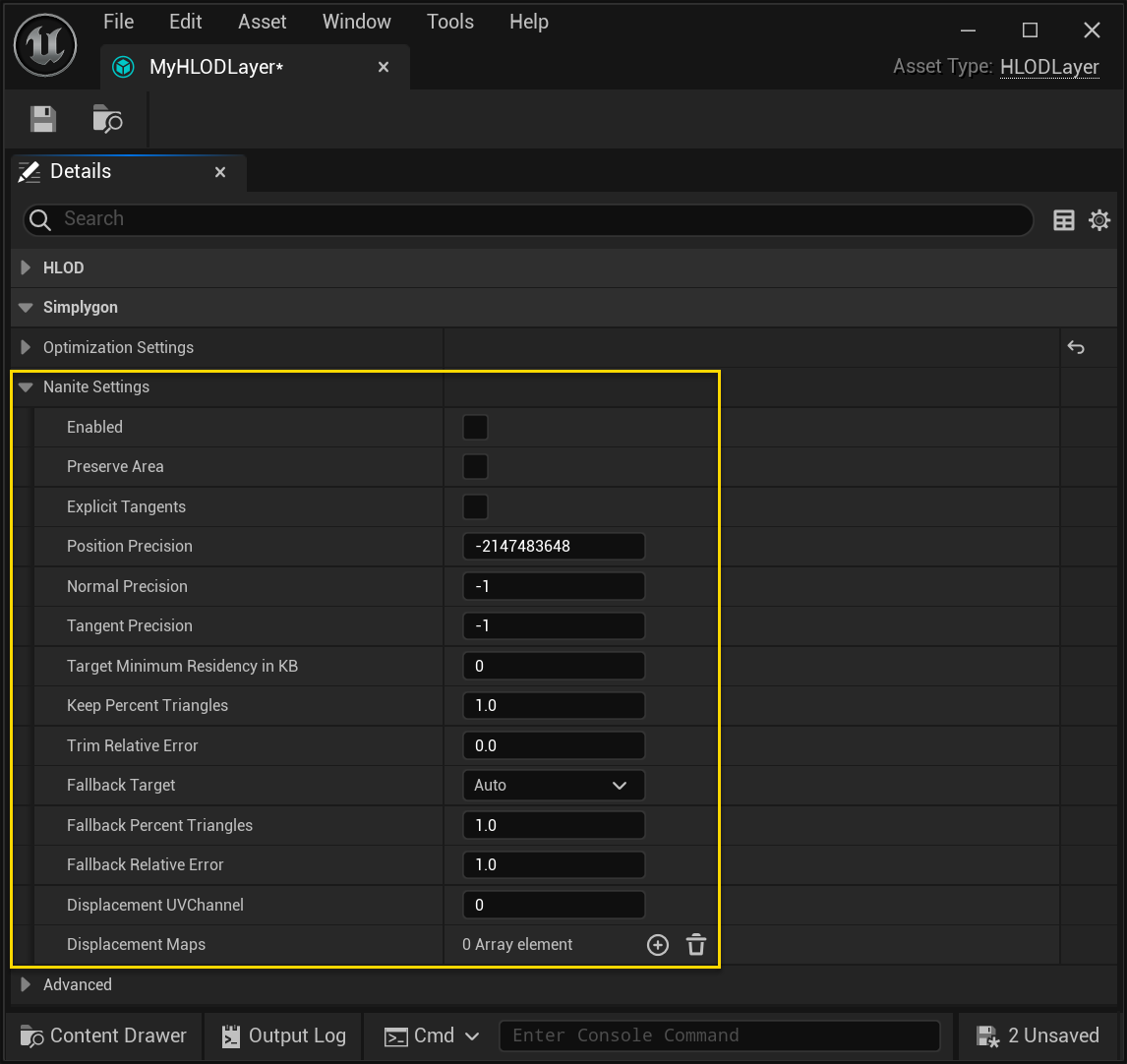
Advanced settings
Some builders will contain advanced settings; these settings can be quality of life-, tweak- and in some cases feature related settings. For example; there is an option to override the parent material of the HLOD, instead of using Unreal Engine's base material any material can be assigned, but it does have the same requirements. Keep an eye out for these settings and what functionality they offer by looking at their tooltip! 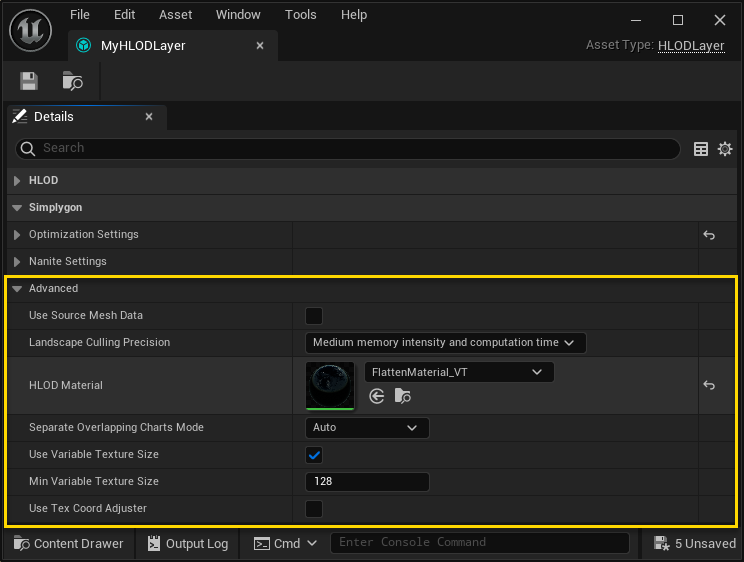
Experimental scene-capture remeshing builder
Future direction
This experimental builder represents the future direction of HLOD development in the Simplygon Unreal Engine plugin.
ExperimentalSimplygonRemeshingHLODBuilder (UExperimentalSimplygonRemeshingHLODBuilder in C++) combines remeshed geometry with source-world material capture and Simplygon Splatter Caster baking. Select this class on a Custom HLOD Layer; the legacy builder's material-property casters and illustrated settings above do not apply.
Capture renders only the selected registered static mesh components in their source world, not preview copies. The components must belong to one rendering world. Preview lighting settings are ignored.
The builder temporarily forces LOD 0 and disables distance culling, including instance culling and fading, through export, processing and import. It restores the previous state on success or failure without changing authored draw distances. Generic existing-world subsystem capture does not apply these overrides. See Choose a capture world.
Keep source actors loaded and components registered during the build. If capture admission is busy, the builder returns an error instead of blocking the game thread. Wait for the active source-state operation to finish before retrying.
See Capture and HLOD phase profiling.
World Partition + HLOD
When the world type is World Partition the user has to setup HLOD Layers to be able to specify the type of the optimization for that specific level. HLOD Layers can also be parented; parented layers can be seen as a sequential LOD chain where each LOD can switch at its own distance. Common HLOD types for a LOD chain can be instancing, mesh merging, simplification and approximation.
Setup steps for worlds that are using World Partition:
- Create one or more HLOD Layer(s).
- Set the Layer Type to the preferred type: Instancing, Merged Mesh, Simplified Mesh, Approximated Mesh or Custom. To enable Simplygon for HLOD generation; set the Layer Type is to "Custom" and the HLOD Builder Class to SimplygonHLODRemeshingBuilder.
- Specify the settings for the selected Layer Type.
- Build the HLODs through Build → Build HLODs inside the editor, or through the commandlet (see the Unreal Engine documentation for more details). Note: If Landscape Culling and / or Work Distribution when at least one Simplygon builder is present; execute the WorldPartitionBuilderCommandlet as described here.
When to use HLOD?
The HLOD system is designed to solve specific problems, below are some key points / suggestions of when to consider having it enabled.
- Ideal for large open worlds.
- When the world has Actors with high geometric complexity that results in excessive overdraw.
- When the world can display many Actors on the screen that results in draw-call bound situations.
- When LOD switching mechanics are required.
Quality vs performance
Depending on the type of game and target platform there might be different problems to solve; one can be low rendering performance while another can be high memory usage. Generated HLODs (geometry and baked textures) will affect memory usage; in terms of in-game memory usage, VRAM usage and disk space. Settings might need to be tweaked to find the best balance for the specific target platform(s).
Quality improvements
Aggressive LOD switching can result in LOD pops, below are two techniques that can reduce the effect:
- Screen-door fading: a screen space technique where a dither pattern is used to blend between LODs when switching.
- Geomorphing: a technique that requires an extra set of UV coordinate to blend between the vertices of LODs.
If there is a Landscape Actor in the level, consider enabling landscape culling to clip away back-facing triangles. This also results in better usage of texture space for baked materials.